Deleted Student Attendance
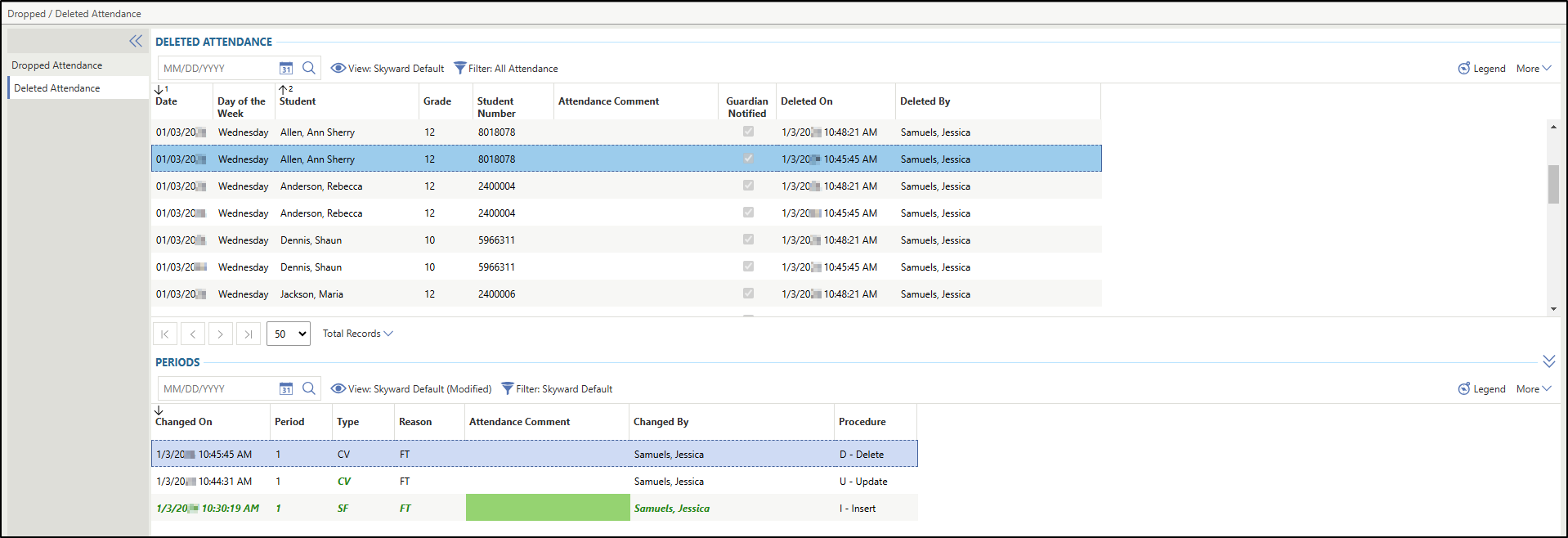
The Deleted Attendance tab in the Dropped / Deleted Attendance screen enables you to view any deleted attendance records within the selected Entity and school year. You can locate deleted attendance records by navigating to , and selecting Dropped / Deleted Attendance under Features. Then, select the Deleted Attendance tab at the left of the Dropped / Deleted Attendance screen. Please note that the attendance records that display under the Deleted Attendance heading are based on the filter selected. If you wish to see specific attendance records, you can update the filter by clicking the Filter icon near the top of the screen and selecting the appropriate filter from the drop-down list.
Based on the attendance record you have selected under the Deleted Attendance heading, the records under the Periods heading will update to display appropriately. Under the Periods heading, you see all updates that were made to that attendance record from its initial creation to when the record was deleted. All changes that were made to the attendance record appear in green. In the image below, the Deleted Attendance tab displays a deleted attendance record with changes made.