Reprinting Tardy Slips and Discipline Notices
The Tardy Kiosk is a computer station that allows students who arrive to school late to check themselves in without the help of a staff member. The kiosk automatically generates tardy slips that students may use to enter class. If a student exceeds a certain number of tardies within one period, the kiosk can create discipline records.
If a student loses their original tardy slip, it may be necessary to reprint the slip. Students can reprint their slips from the Tardy Kiosk, but only for the same period. For example, if a student is tardy for period 2, they can only reprint the slip from the kiosk during period 2. If a staff member needs to reprint a tardy slip or discipline record that was printed at the kiosk, they can do so from the Attendance Entry by Student feature, the Incident/Referral feature, or the Student Profile.
- If you wish to reprint a student's tardy slip, complete the following steps.
- Click Print Tardy Slip to the right of the attendance record.Expected Result
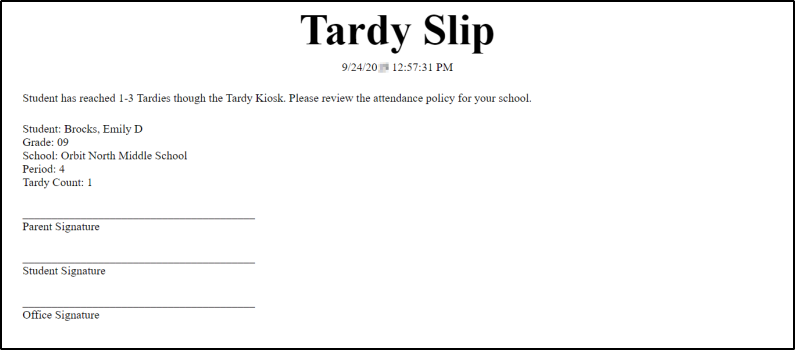
You see a new browser tab open to preview the tardy slip. The information displayed on the slip is determined in the Entity Group Year Configuration of the Attendance module.
The image below displays an example tardy slip.
- Click Print Tardy Slip to the right of the attendance record.
- If you wish to print a student's Discipline Action record, complete the following steps.
- Select Print Discipline Slip near the top right of the screen.Expected Result
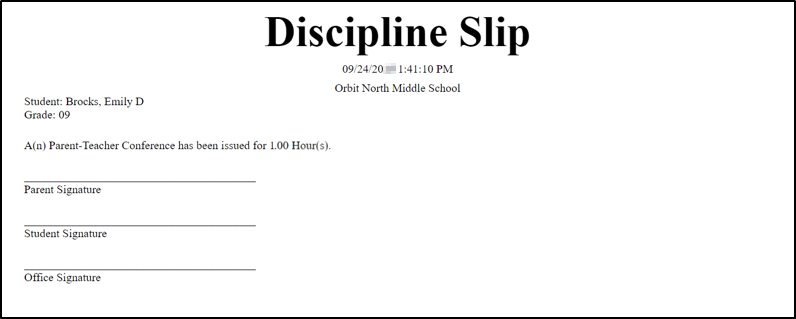
You see a new browser tab open to preview the discipline slip. The information displayed on the slip is determined in the Entity Group Year Configuration of the Discipline module.
The image below displays an example discipline slip.
- Select Print Discipline Slip near the top right of the screen.
Result(s)
You have successfully reprinted tardy and discipline slips.